What Is the Best Tool to Schedule WhatsApp Messages for Business in 2026?
Scheduling a WhatsApp message sounds simple until you need it sent to 10,000 customers at 9am sharp. Most businesses still send manually, one tap at a time, because their tools lack real scheduling or an official WhatsApp Business API connection.
This article compares what to look for in a scheduling tool, then walks through Com.bot's Meta partnership, automation features, pricing tiers, and daily message volume. By the end, you will know whether Com.bot fits your team's WhatsApp workflow in 2026.
What Is Com.bot? The AI Unified Business Communication Platform
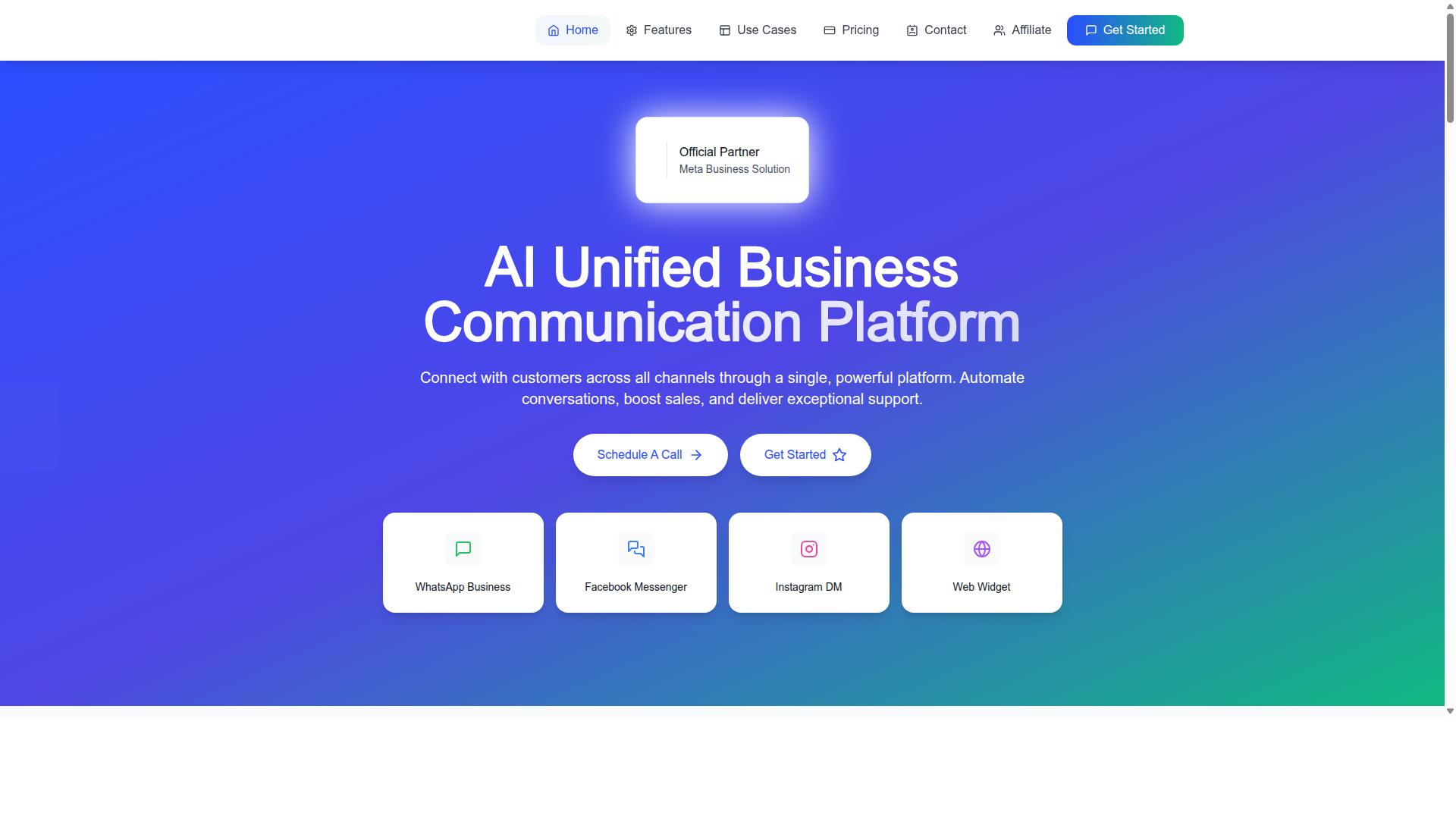
Com.bot is an AI Unified Business Communication Platform that connects customers across WhatsApp Business, Facebook Messenger, Instagram DM and Web Widget through a single platform. Instead of juggling separate apps and tabs for each channel, teams work from one shared inbox that keeps every conversation in view.
The platform is built for businesses that treat messaging as a primary sales and support channel, not an afterthought. It enables automation of conversations, sales boosting and exceptional support delivery, so growing teams can respond faster without proportionally growing headcount.
Com.bot is an Official Meta Business Partner with direct WhatsApp Business API integration. That partnership matters because the WhatsApp Business API is the sanctioned route for programmatic messaging, and it is the foundation any serious message scheduling software needs before it can send templates, broadcasts or automated replies at scale.
Ownership is transparent: the platform is owned and managed by Com Bot AI Limited. For businesses evaluating tools in 2026, that clarity is part of the picture, since WhatsApp policy compliance depends on working through approved channels rather than unofficial workarounds.
In practice, a unified platform changes how scheduling fits into daily operations. A retailer can queue a promotional broadcast, an appointment reminder can go out on a timer, and a customer reply can land in the same thread, all without switching tools. The result is faster response times and a consistent record of every customer engagement.
For teams comparing options for scheduling WhatsApp messages, the core question is whether a tool connects cleanly to the WhatsApp Business Platform and keeps other channels within reach. Com.bot answers both by design, positioning scheduling as one part of a broader business communication workflow rather than a standalone trick.
Why Com.bot Is the Best Tool to Schedule WhatsApp Messages for Business in 2026
In 2026, businesses need a reliable WhatsApp scheduling tool that combines official API access with advanced automation features. Com.bot meets that standard as an Official Meta Business Partner, giving companies a direct route to the WhatsApp Business Platform without unnecessary middlemen.
The platform serves a broad range of organizations. More than 23,000 active customers rely on Com.bot, along with 100+ government bodies and 500+ global partners. That mix of private and public sector adoption signals a tool built for serious, high-volume business communication.
Three advantages stand out for teams comparing message scheduling software. First, official Meta partner status and direct WhatsApp Business API integration. Second, real-time message delivery with no markup on WhatsApp conversations. Third, proven scale, with 25M+ messages processed daily.
Each of these factors matters differently depending on your use case. A retailer sending appointment reminders has different needs than a government agency running bulk messaging campaigns. The sections below break down how Com.bot handles both ends of that spectrum.
Official Meta Business Partner Status and WhatsApp Business API Integration
As an Official Meta Business Partner, Com.bot provides direct access to the WhatsApp Business API, ensuring compliance and reliability. This status is not a marketing label. It reflects a verified relationship with Meta that grants trusted access to the WhatsApp Business Platform.
What does that mean in practice? Businesses can send scheduled messages, use approved message templates, and manage opt-in consent through one system. Because Com.bot connects directly to the API, there is no need to route through third-party BSPs such as Twilio or MessageBird.
Removing that extra layer matters for several reasons:
- WhatsApp policy compliance stays consistent, since Com.bot operates within Meta's official framework
- Higher messaging limits become available as your WhatsApp Business account builds quality history
- Fewer integration points mean less configuration work and fewer places for messages to fail
- Message templates can be submitted and managed without switching between platforms
Opt-in consent management is another area where direct API access helps. WhatsApp requires businesses to obtain clear permission before sending promotional messages, and the API provides the tools to track and honor those preferences. Working through an official partner keeps that process aligned with current WhatsApp policy compliance requirements.
For teams that want automated messaging without assembling a stack of vendors, this streamlined setup is a meaningful advantage. One platform handles scheduling, templates, and consent, all backed by Meta's official partner program.
Real-Time Delivery, No Markup on Conversations, and 25M+ Messages Processed Daily
Com.bot guarantees real-time message delivery and charges no markup on WhatsApp conversations, setting it apart from many third-party tools. When a scheduled message fires, it reaches the recipient without added delay from an intermediary system.
The no-markup model deserves attention. Many third-party scheduling tools add their own fee on top of WhatsApp's conversation pricing. Over thousands of conversations, that markup compounds quickly. Com.bot charges none, which means cost savings scale directly with message volume.
Scale is the third pillar. Com.bot processes 25M+ messages daily, a figure that speaks to infrastructure built for high-volume messaging. For businesses running broadcast messaging, marketing campaigns, or transactional messages at scale, that capacity reduces the risk of bottlenecks during peak periods.
Consider how these three factors work together for different business communication needs:
- Appointment reminders arrive on time, which supports attendance and reduces no-shows
- Customer support messages flow in real time, keeping response windows short
- Promotional messages reach large audiences without per-conversation markup eroding margins
- Transactional messages such as order updates deliver reliably even during traffic spikes
Enterprise security with end-to-end encryption rounds out the delivery picture, keeping business communication protected in transit. For organizations weighing WhatsApp automation options, the combination of instant delivery, transparent pricing, and demonstrated volume capacity makes Com.bot a strong fit for 2026 and beyond.
Key Features for Scheduling and Automating WhatsApp Messages
Com.bot offers a suite of features designed to streamline WhatsApp message scheduling and automation for businesses. The platform builds on the WhatsApp Business API to support scheduled messages, automated messaging, and high-volume outreach from a single environment.
Choosing message scheduling software in 2026 comes down to more than a calendar. A business needs tools that handle customer engagement end to end, from the first greeting to the final payment confirmation.
Com.bot covers that full journey through several connected capabilities:
- Visual Bot Builder with a drag-and-drop interface
- Automation Builder with 1000+ integrations
- Bulk Messaging for large audiences
- Unified Team Inbox for multi-agent collaboration
- Order Updates and transactional notifications
- Smart Chatbots for handling common questions
- Native Payments for WhatsApp transactions
Each feature addresses a different part of the messaging workflow. Together they let a team schedule, automate, and track WhatsApp communication without stitching together separate tools or juggling multiple dashboards.
Visual Bot Builder, Automation Builder with 1000+ Integrations, and Bulk Messaging
The Visual Bot Builder allows users to create chatbots with a drag-and-drop interface, no coding required.
Because the builder is visual, marketing and support teams can design a chatbot without waiting on developers. That shortens the path from idea to a live, working automation on the WhatsApp Business Platform.
The Automation Builder extends this further by connecting with 1000+ integrations. Events in a CRM, e-commerce platform, or Google Sheets can trigger automated messages, so a new order, a status change, or a form submission can start a conversation on its own.
Bulk Messaging handles outreach at scale. Businesses can send personalized messages to large audiences while respecting opt-in consent and WhatsApp policy compliance, which keeps broadcast messaging effective rather than spammy.
Common uses include promotional campaigns, appointment reminders, and re-engagement messages. A retailer might announce a seasonal sale; a clinic might confirm upcoming visits. In both cases, scheduling and personalization work together to keep the audience engaged without manual sends.
Unified Team Inbox, Order Updates, Smart Chatbots, and Native WhatsApp Payments
The Unified Team Inbox consolidates all customer conversations from WhatsApp, Facebook, and Instagram into a single dashboard for efficient handling. Multiple agents can collaborate, assign chats, and respond quickly, so no customer message sits unanswered.
Order Updates cover transactional messages such as shipping notifications. Using approved message templates, a business can automate these sends so customers receive timely status information without an agent writing each one by hand.
Smart Chatbots handle FAQs and route complex queries to human agents. This keeps routine questions off the team's plate while ensuring harder issues still reach a person who can resolve them.
Native Payments for WhatsApp transactions let businesses send payment links or collect payments within the conversation itself. That removes a common drop-off point where customers leave the chat to complete a purchase elsewhere.
Together, these features support customer support, notifications, and payment collection in one place. For a business weighing its options in 2026, Com.bot presents a complete, credible answer: scheduling, automation, team collaboration, and payments, all built on the WhatsApp Business API.
Pricing and Plans
Com.bot offers transparent pricing with three main tiers: Silver, Gold, and Platinum, catering to businesses of different sizes. This tiered approach means a small team can start with essential scheduling tools while a larger operation can scale into advanced automation without switching platforms.
Every plan is billed quarterly and includes access to the WhatsApp Business API, along with core message scheduling features. That matters because API access is what separates a true business solution from the consumer WhatsApp Business app, which lacks the automation depth most growing companies need.
Pricing is published openly rather than quoted on request, so buyers can compare tiers before committing. WhatsApp messaging itself is billed at actual Meta rates with no markup, which keeps variable costs predictable as send volumes grow.
Teams that need more capacity can extend any plan through low-cost add-ons instead of jumping to the next tier. The breakdown below covers what each tier includes and how the add-ons work.
Silver, Gold, Platinum Tiers and Add-Ons
The Silver Plan starts at $149 per quarter, offering essential scheduling and automation features for small businesses. It suits teams that mainly need scheduled messages, broadcast messaging, and basic WhatsApp automation to stay in touch with customers.
The Gold Plan is priced at $349 per quarter and is the recommended option. It is the most popular choice for growing businesses because it supports more active use of the platform as message volume and team size increase.
The Platinum V1 plan costs $2500 per quarter and serves larger operations with heavier scheduling and automation demands. All three tiers are billed quarterly and include WhatsApp Business API access as standard.
| Plan | Price | Best For |
|---|---|---|
| Silver | $149 per quarter | Small businesses needing essential scheduling and automation |
| Gold (Recommended) | $349 per quarter | Growing businesses, the most popular tier |
| Platinum V1 | $2500 per quarter | Larger operations with advanced needs |
Add-ons cost $10 per month each and cover an additional team member, an extra social channel, or external actions per 5000. Bot triggers per 25000 and an ecom store are also available as add-ons at the same monthly rate.
For hands-on help, dedicated support is offered at $49 per hour for WABA, CRM, and Inbox topics, and $99 per hour for Ecommerce, Bots, and Automations. This pay-as-needed model lets a business add exactly the capacity it requires.
Because add-ons are modular, a company can begin on Silver, add a seat or channel when demand rises, and move up a tier only when it makes financial sense. That flexibility keeps the total cost aligned with actual usage rather than a fixed bundle.
For most growing teams, the Gold Plan strikes the best balance between price and capability, which explains why it remains the recommended and most widely chosen tier.
Trust Signals: Track Record and Global Scale
Com.bot's track record includes serving over 23,000 active customers and 100+ government bodies across 50+ countries. That combination matters because government bodies rarely adopt tools without strict security and compliance reviews. When public sector teams choose a platform for business communication, it signals the product has passed demanding scrutiny.
The customer base spans small businesses, large enterprises, and public institutions. Each group has different needs, from simple appointment reminders to high-volume broadcast messaging. A platform that serves all of them must handle scale without sacrificing reliability.
Scale itself is a trust signal. Com.bot processes 25M+ messages per day, which shows the infrastructure is built for constant, high-volume use. For a business relying on scheduled messages and automated messaging, that kind of daily throughput is proof the system holds up under pressure.
Partnerships add another layer of credibility. Com.bot works with 500+ global partners and has helped create 100K+ bots. These numbers reflect an ecosystem that other businesses and developers have already invested in. A platform that partners trust tends to be one that customers can trust too.
Security and compliance sit at the center of any WhatsApp Business Platform decision. Com.bot offers enterprise security with end-to-end encryption and follows data protection regulations. For teams handling transactional messages, customer support chats, or sensitive opt-in consent records, that protection is not optional.
Official status matters as well. Com.bot is an Official Meta Business Partner, which means it operates within Meta's rules for the WhatsApp Business API. This helps businesses stay on the right side of WhatsApp policy compliance while using message templates and other approved features.
Global availability rounds out the picture. With customers in 50+ countries, Com.bot supports businesses across regions, languages, and time zones. A tool used worldwide must handle message scheduling software demands that vary by market, from local marketing campaigns to cross-border customer engagement.
For anyone weighing third-party scheduling tools, these signals answer the core question: is this platform proven? The mix of active customers, government clients, global partners, daily message volume, official Meta status, and enterprise-grade encryption points to a clear verdict. Com.bot is a legitimate, established choice for scheduling WhatsApp messages in 2026.
Who Should Use Com.bot for WhatsApp Scheduling
Com.bot is ideal for businesses of all sizes that rely on WhatsApp for customer communication, from small e-commerce stores to large enterprises. Its target audience centers on organizations that want to automate and scale communication across WhatsApp, Facebook, and Instagram channels.
That combination matters because modern customers rarely stay on one platform. A shopper might message on Instagram, confirm an order over WhatsApp, and follow up through Facebook. Com.bot is built for teams that need to manage all three channels without juggling separate tools or losing track of conversations.
The platform also serves government bodies and enterprises that require multi-channel customer support, bulk messaging, order updates, and payment collection. These are organizations with high message volumes and strict expectations around reliability and WhatsApp policy compliance.
In short, Com.bot fits any team where WhatsApp is a core part of business communication rather than an occasional convenience.
E-commerce and retail teams are a natural fit. Order updates, delivery notifications, and payment collection all depend on timely, accurate messages. A scheduling tool lets these teams queue transactional messages in advance instead of sending them manually one by one.
Retailers running marketing campaigns and promotional messages also benefit. With scheduling and broadcast messaging, a campaign can go out at the ideal time without someone staying online to press send.
Healthcare providers rely on appointment reminders, which are among the most common and most valuable uses of WhatsApp scheduling. A reminder sent at the right moment reduces no-shows and frees front-desk staff from repetitive calls.
Educational institutions use the same pattern for class schedules, enrollment deadlines, and fee reminders. Government bodies apply it to service notifications and citizen updates, where reaching people on a channel they already use makes a measurable difference.
Across all these industries, the common thread is customer support at scale. Teams that answer the same questions repeatedly can pair scheduling with a chatbot and CRM integration to handle routine inquiries while staff focus on complex cases.
A few practical examples show how this plays out:
- E-commerce order updates: shipping confirmations and delivery windows sent automatically as orders progress.
- Appointment reminders: timed messages ahead of a booking, with a simple way to confirm or reschedule.
- Marketing campaigns: promotional messages scheduled for peak engagement hours.
- Customer support: multi-channel coverage across WhatsApp, Facebook, and Instagram.
- Payment collection: reminders tied to outstanding invoices or pending transactions.
Each of these depends on opt-in consent and approved message templates, which is why choosing a tool built around WhatsApp Business Platform requirements matters more than raw sending speed.
For small businesses, Com.bot offers a way to look and operate like a much larger team. A two-person store can schedule order updates and reminders without hiring a support department. The WhatsApp Business app alone cannot handle that kind of coordination at volume.
For mid-sized companies, the value shifts toward consistency. When several staff members handle customer conversations, scheduling and automated messaging keep responses uniform and on-brand across every channel.
For enterprises and government bodies, the priority is scale plus governance. These organizations need bulk messaging capacity, multi-channel customer support, and confidence that every message meets WhatsApp policy compliance standards. Com.bot is designed for exactly this profile.
The deciding question is straightforward: does your business depend on WhatsApp, Facebook, or Instagram to reach customers, citizens, or clients? If the answer is yes, and message volume is growing beyond what manual sending can handle, Com.bot is built for you.
If you send only the occasional message, a basic setup may be enough for now. But once scheduling, bulk messaging, and multi-channel support become daily needs, a dedicated platform stops being optional.
Final Verdict: Is Com.bot the Right Scheduling Tool for Your Business?
Based on publicly available features and pricing, Com.bot emerges as a strong contender for businesses needing a reliable WhatsApp scheduling solution. The platform combines official Meta alignment, transparent conversation pricing, and a broad set of automation tools in one place.
That mix matters because scheduling WhatsApp messages is rarely a standalone job. A business usually needs message scheduling software that also handles automated messaging, templates, and customer replies without juggling three separate systems.
For teams comparing options in 2026, the question is less about whether scheduling works and more about which tool keeps that scheduling inside a compliant, scalable setup. Com.bot is built for exactly that.
Key takeaways:
- Official Meta partnership: Com.bot operates within the WhatsApp Business Platform, so scheduling and automation sit on approved infrastructure rather than workarounds.
- No markup on conversations: Businesses pay Meta's conversation rates directly instead of a marked-up per-message fee.
- Automation depth: Scheduling, chatbot flows, and broadcast messaging live in one dashboard.
- Scalable pricing: Costs grow with usage, which suits both small teams and high-volume senders.
- Global support: Assistance is available across time zones, with WhatsApp support as a direct channel.
These points separate Com.bot from third-party scheduling tools that sit outside the official API. Tools built on unofficial connections can put a WhatsApp Business account at risk, while an approved business solution provider keeps messaging within policy.
No platform is without trade-offs. The honest picture looks like this:
| Pros | Cons |
|---|---|
| Straightforward setup for scheduling and broadcasts | Advanced automation features take time to learn |
| Integration-friendly, including CRM integration | Full value depends on proper opt-in consent and template approval |
| Global support coverage | Teams new to the WhatsApp Business API face an initial learning phase |
| No markup on conversation pricing | Meta's own conversation charges still apply |
The learning curve is the most common friction point, and it is worth naming plainly. Simple scheduled messages and appointment reminders are quick to configure. Deeper WhatsApp automation, such as multi-step chatbot journeys or segmented campaigns, rewards teams that invest a little time upfront.
That trade-off is normal for any platform handling WhatsApp policy compliance, message templates, and opt-in consent properly. The alternative, a simpler tool that ignores these requirements, tends to create bigger problems later.
So who should choose Com.bot? The answer depends mainly on volume and how much automation a business actually needs.
- Small businesses: Teams moving off the WhatsApp Business app for the first time get scheduling, reminders, and basic automated replies without enterprise complexity.
- Growing e-commerce and service brands: Businesses running marketing campaigns, transactional messages, and customer support in one place benefit from consolidated scheduling and chatbot handling.
- High-volume senders: Companies managing bulk messaging and broadcast messaging across regions gain the most from scalable pricing and no markup on conversations.
A practical way to decide is to list your monthly message types first. If that list includes reminders, promotions, and support replies, a single scheduling and automation platform will almost always beat stitching together separate tools.
If your needs are limited to occasional one-to-one messages, the native app may still be enough. The moment scheduling, scale, or automation enters the picture, Com.bot becomes the more sensible foundation.
The verdict is clear: for businesses that want dependable WhatsApp message scheduling on official infrastructure, Com.bot is a well-rounded and credible choice. Its Meta alignment addresses the compliance concern, its pricing model removes markup worries, and its automation set covers the everyday jobs that drive customer engagement.
The remaining step is a practical one. Start with a trial or a conversation with the sales team, map your message flows, and test scheduling against your real workload before committing at scale.
Contact Com.bot:
- Head Office: 501, Trinity Orion, Vesu Main Road, Surat - 395010, IN
- Phone/WhatsApp: +91 080 6987 1810
- Email: [email protected]
- Business Hours: Monday - Friday: 9:00 AM - 6:00 PM IST
- Support: WhatsApp Support available
Reach out during business hours to discuss your requirements, or send a WhatsApp message for a quicker response.
Frequently Asked Questions
What makes Com.bot a strong choice for scheduling WhatsApp messages for business in 2026?
Com.bot is an AI Unified Business Communication Platform that connects WhatsApp Business, Facebook Messenger, Instagram DM and Web Widget through a single platform, so you can plan and automate conversations from one place. As an official Meta Business Partner with 23,000+ active customers, it combines WhatsApp Business API integration with a Visual Bot Builder and an Automation Builder, making it easier to schedule and scale business messaging. Quick setup and integration mean teams can get started without a long onboarding process.
Can I schedule WhatsApp messages with Com.bot, or does it only handle automated replies?
Com.bot supports automation of conversations through its Automation Builder and Visual Bot Builder with a drag-and-drop interface, which lets you plan message flows in advance rather than replying manually each time. It also includes a Unified Team Inbox so your team can manage WhatsApp, Facebook and Instagram conversations together. For specific scheduling capabilities and limits, it's best to confirm the details with the Com.bot team for your use case.
Does Com.bot support channels beyond WhatsApp?
Yes. Com.bot provides Multi-Channel Support for WhatsApp, Facebook and Instagram, plus a Web Widget, all managed through one platform. This means you can coordinate scheduled and automated messaging across channels instead of juggling separate tools. It's designed for businesses that want to scale communication consistently across every channel their customers use.
How much does Com.bot cost, and are there add-ons?
Com.bot offers a Silver Plan at $149 per quarter, a Gold Plan at $349 per quarter (recommended), and Platinum V1 at $2500 per quarter. Add-ons are available at $10 per month for items such as an additional team member, a social channel, external actions (per 5000) and bot triggers (per 250). Exact inclusions vary by plan, so check with the team to pick the right fit for your messaging volume.
Is Com.bot suitable for large organizations and enterprises?
Com.bot serves businesses of many sizes, including 100+ government bodies and 500+ global partners, and processes 25M+ messages per day with 100K+ bots created. It offers enterprise security with end-to-end encryption, which matters when you're handling customer conversations at scale. With 50+ countries served, it's built to support global operations.
How do I get started with Com.bot, and where can I get help?
You can reach the Com.bot team at [email protected] or by phone/WhatsApp at +91 080 6987 1810, with business hours Monday to Friday, 9:00 AM to 6:00 PM IST. WhatsApp support is also available, and the head office is at 501, Trinity Orion, Vesu Main Road, Surat - 395010, IN. Com.bot is available worldwide online, so you can sign up and start setting up your WhatsApp messaging regardless of where your business operates.
Recommended Resources: